CHAPTER 01
Enter the Kitchen and choose the recipient
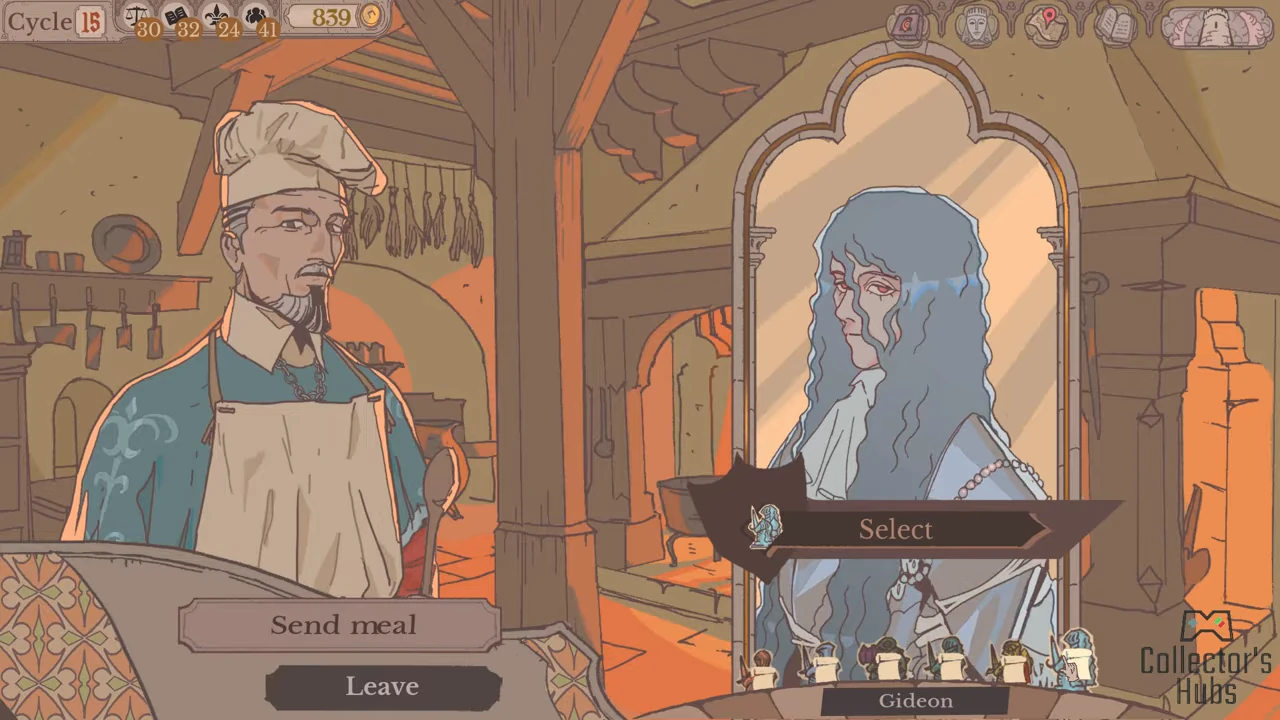
With the Kitchen unlocked, open it from the tower view. Choose Send meal with Arlin, use the portraits along the bottom to select your knight, then press Select. The recorded example chooses Gideon.
- Open Kitchen from the tower view.
- Choose Send meal.
- Choose the knight’s portrait and confirm Select.
CHAPTER 02
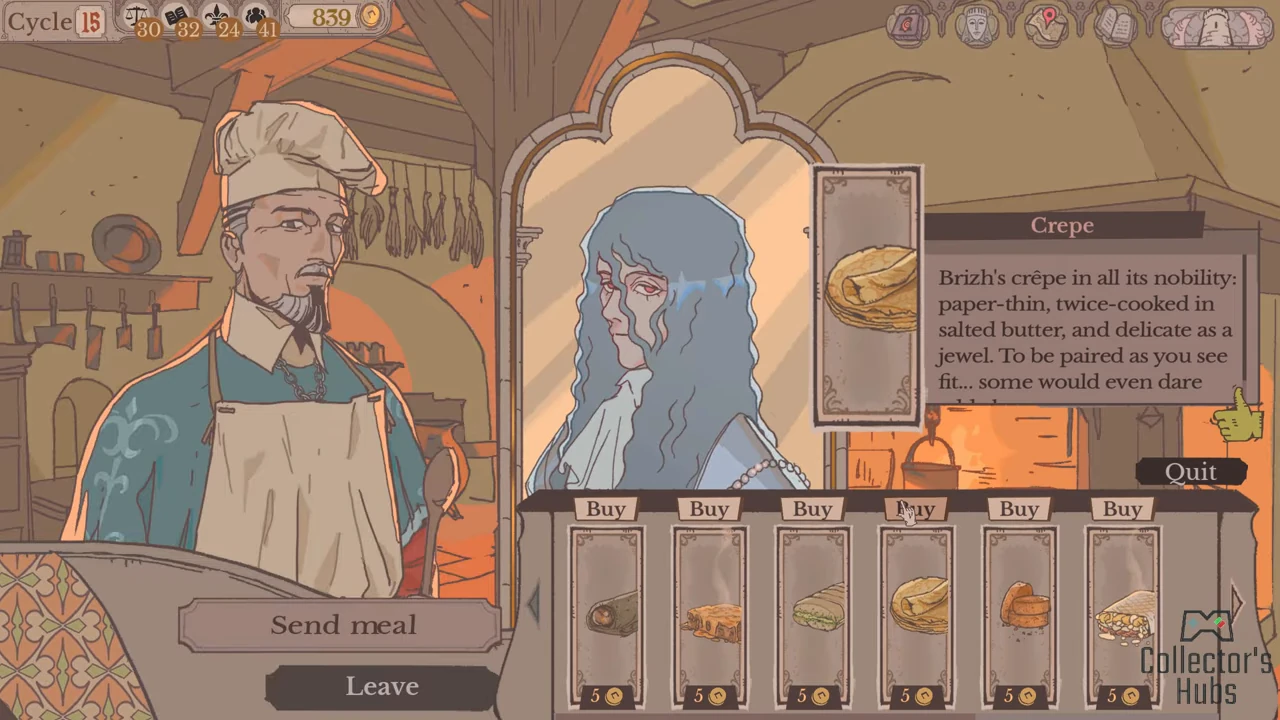
Buy Gideon a Crepe
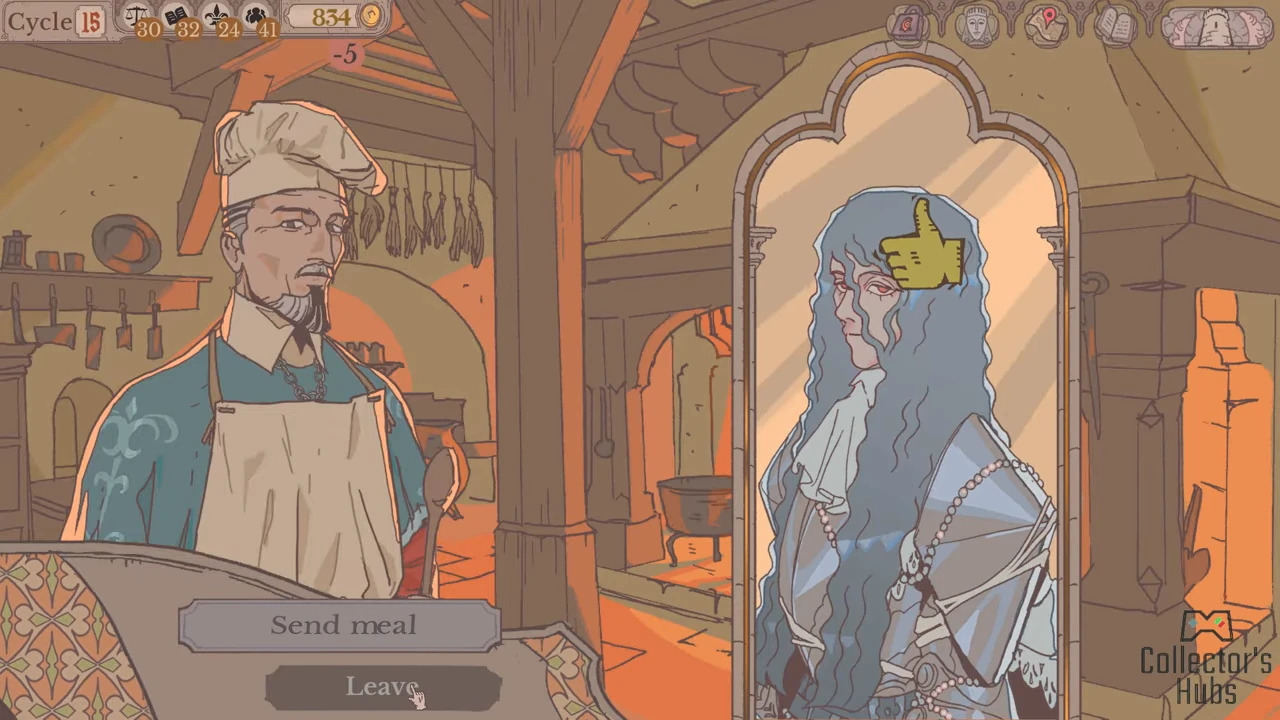
The recorded menu offers Crepe for five coins. Buy is above the dish card. After that purchase, the treasury falls from 839 to 834 and Gideon receives a thumbs-up. This demonstrates a liked dish; it does not measure an exact affinity increase.
CHAPTER 03
Finish the meal before departure
After the purchase, choose Leave and continue Arlin’s closing dialogue. Return to the tower view and use FINISH when your Round Table assignments are ready. The recorded meal visit ends before that departure.
CHAPTER 04
Three reliable meal choices
These are selected pairings from the community meal guide, not an exhaustive kitchen list.
| Knight | Preferred dish |
|---|---|
| Angelica | Préfou |
| Gwendan | Croque-Monsieur |
| Arron | Brizhian Butter Shortbread |
CHAPTER 05
Read the kitchen’s feedback on your next visit
From patch 1.0.11, a previously served dish receives a thumbs-up or thumbs-down marker. Older disliked meals are not backfilled, so a missing marker does not establish that a knight likes the dish.
CHAPTER 06
Recording context
The Kitchen sequence was uploaded August 6, 2026. Its game build is not displayed. Use the visible labels in your copy, and treat the five-coin price as that recorded offer.
CHAPTER 07
Check the individual before dispatch
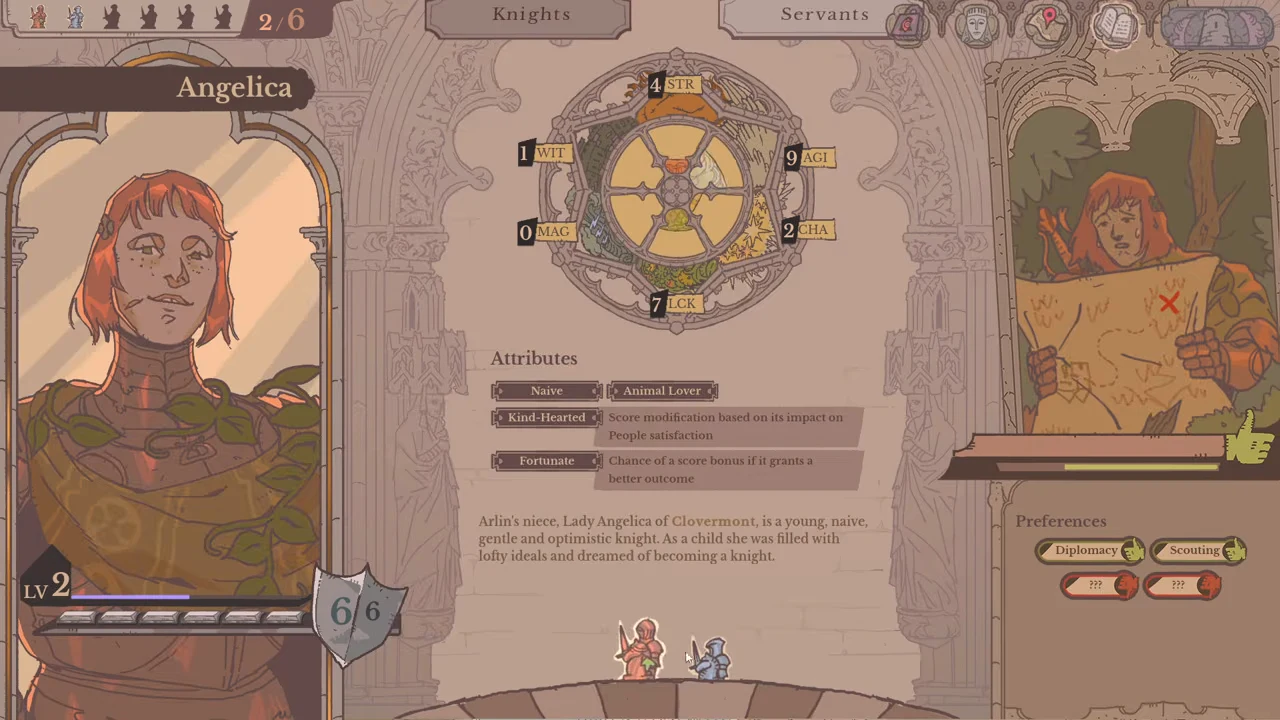
In the Knights view, choose the knight using the figures at the bottom. Angelica’s panel shows her name, a personal thumbs-up gauge and Preferences: Diplomacy and Scouting are named, while two red entries remain unknown. Goberto’s panel has its own different entries.
Before assigning a trip or answering that knight, compare their current panel and any expressed request with your intended action. A liked meal confirms the response to that dish; it does not prove that every concern is resolved or that departure is impossible.
The official description warns that dissatisfied knights can leave. Keep that individual risk separate from a favourable faction response, and do not interpret the pictured gauge as a documented numerical safety threshold.
Source register
The Collector’s Hubs — recorded Kitchen sequence, uploaded August 6, 2026 →
The Deep Stone Costco — preferred meals →