CHAPTER 01
Recognize the shop controls
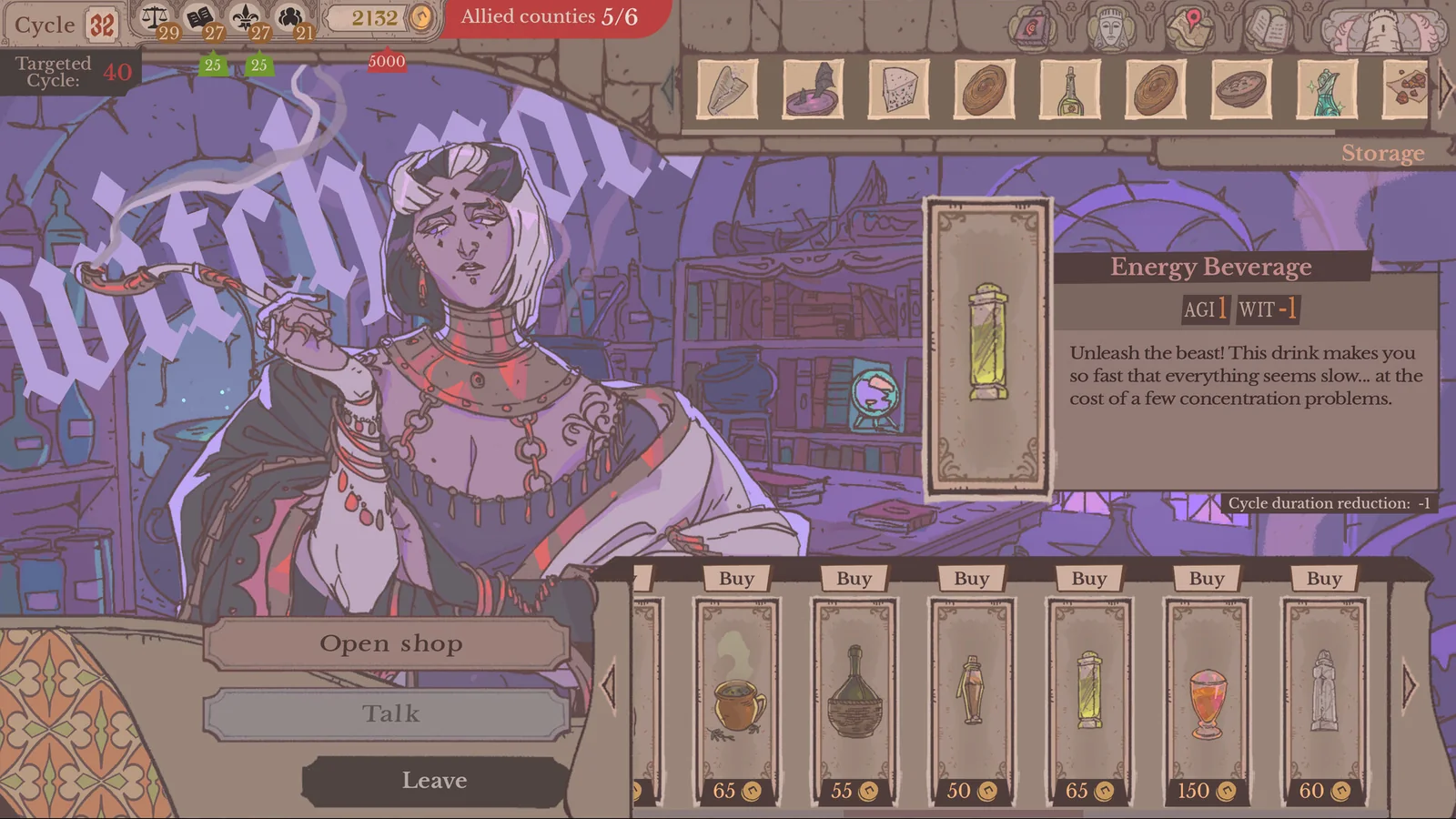
The official alchemy-shop frame shows Open shop, Talk and Leave on the left, purchasable cards along the bottom and Storage at the top. The selected item’s details appear on the right.
CHAPTER 02
Use the item for the task it supports
Compare every displayed effect with the intended quest. An Agility increase can help an Agility gap, while the same item’s Wits loss can make a Wits requirement harder to meet. A shorter trip can be useful when the knight must return sooner. None of these benefits makes the drawback disappear.
- Select the item card and read its price and all effect labels.
- Compare the changes with the knight and quest you intend to pair.
- Buy only the item you intend to use, then check the knight’s equipment panel before the assignment.
CHAPTER 03
Forge and Alchemy are separate annexes
Carina’s Forge and the Witch’s Alchemy Room provide quest equipment. The image demonstrates Alchemy.